Microsoft SwiftKey AI Keyboard (Mod)

Images


Description
Microsoft SwiftKey AI Keyboard – Smart, Fast & Personalized Typing
Type faster and more accurately with Microsoft SwiftKey AI Keyboard, a widely used smart keyboard that learns your writing style and improves predictions over time to make messaging smoother and more efficient.
AI-Powered Smart Typing
SwiftKey uses artificial intelligence to understand how you type and continuously improve suggestions.
You can:
- Get next-word predictions based on your writing style
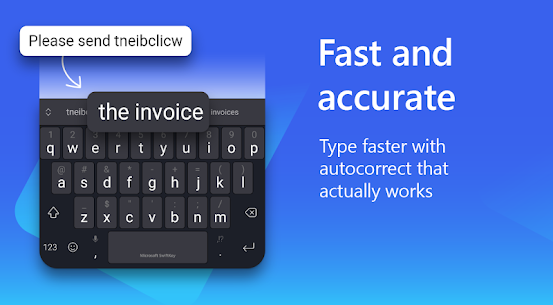
- Enjoy highly accurate autocorrect
- Use swipe typing (Flow) or tap typing
- Reduce typing errors automatically
Personalized Keyboard Experience
The app adapts to your habits, slang, emojis, and frequently used phrases.
Features include:
- Learning your vocabulary over time
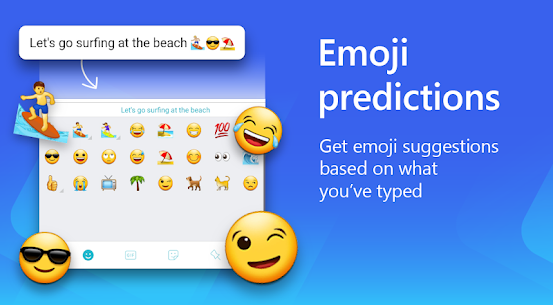
- Emoji and GIF suggestions
- Custom word predictions
- Multilingual typing (multiple languages at once)
Advanced AI Features
SwiftKey has been upgraded with modern AI tools that go beyond typing.
You can:
- Use AI-assisted writing and rewriting tools
- Access Copilot-style AI features in supported versions
- Improve tone and clarity of messages
- Generate suggestions for faster replies
Customization & Themes
Make your keyboard look and feel the way you want.
Options include:
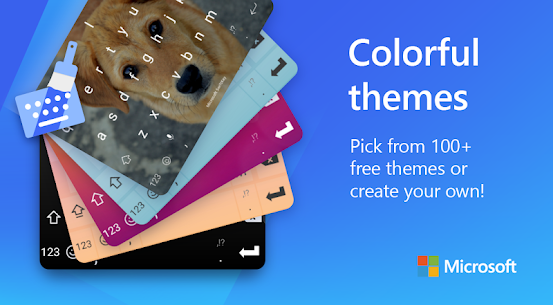
- Hundreds of keyboard themes
- Custom colors and layouts
- Resize and one-handed mode
- Clipboard and toolbar customization
Productivity Tools
SwiftKey is also designed to boost productivity beyond texting.
You can:
- Sync clipboard across devices (Windows + mobile)
- Use built-in translator tools
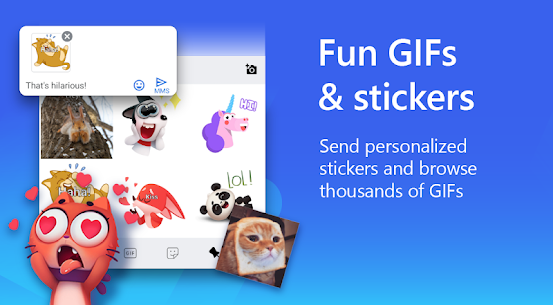
- Access GIFs, stickers, and emoji panels quickly
- Use voice typing
Why Users Choose SwiftKey
People choose SwiftKey because it combines strong AI predictions with deep personalization, making it one of the most intelligent mobile keyboards available.
It is ideal for:
- Fast texters who want fewer mistakes
- Multilingual users
- People who use emojis and GIFs often
- Users who want AI-assisted writing
What's new
We’re designing for the future – Microsoft SwiftKey is now compatible with Android 12.
MOD INFO:
✰ Added all mihz mod’s themes. Thanks to him for all these themes.
✰ Few extra themes added from an unknown mod, identity is not known of themer.
✰ Added iOS keypress sounds as an extra option.
✰ Keyboard switcher added. To access it, click on “…” on your toolbar, click on Tips, and then on top, “Switch Keyboard”.
✰ Autopunctuation corrected for colons, dashes, hyphens and some other characters. Switch it on under “Layout & Keys -> add space in more punctuation”. Add space option must be turned on for this under Typing settings. (Credits: mihz+tufi)
✰ Additional characters added to keys. (some characters are exclusive to English language). To enable it, Enable Settings → Layout & Keys → Show additional characters (only for English (US) and Russian (RU))
✰ Added an option under clipboard settings to remove all unpinned entries at once.
✰ Import/Export option added.
•• Both options are under clipboard settings.
•• Export option will export all clips to “sdcard/download/clipboard_export.txt”
•• Import option allows you to choose any “.txt” file to import clips to your existing clipboard items.
•• Every single line till there’s a (new line break) will be considered as a single entry.
✰ SwiftKey’s own backup/import function implemented.
✰ Allows you to backup all your settings, custom themes etc (some parts may still not be backed up)..
✰ Find both options in clipboard section along with clipboard related import/export option.
✰ Backup file is saved under sdcard/download named Swiftkey_Backup.enc
✰ All non essential receivers / permissions / activities/ services / providers and meta-data removed from manifest.
✰ Telemetry removed. Used adguard to trace the traffic, it was clean. Report if you find any.
Mod updates:
✰ Removed branding from all custom themes.
✰ Fixed a crucial bug where in some cases, SwiftKey doesn’t work on lockscreen, so this may require a clean install.
Mod By @Youarefinished
NOTES:
Import/Export functions:
Export-
• Each export file can later be imported to keep clips and shortcuts intact.
• Export format is this,
•• (1.) *# tk thank you (* represents the shortcut and # represents pinned status)
•• (2.) thank you.
Import:
• Two ways to import,
•• If the file name is “shortcut.txt”, first word would be considered as a shortcut and rest of the entry till there’s a “
” would be the text part.
•• Any other file name must have this format,
••• (1.) *# tk thank you (* for shortcut and # for pinned status)
••• (2.) no thank you (saved as a whole without any shortcut)
Letters with additional characters:
C – angle brackets <> and herringbone quotes « »
G – hyphen, middle hyphen — –
K – opening bracket and opening brace [{
L – closing bracket and closing brace ]}
M – backslash \
V – apostrophes ʼ `
R – copyright mark and rupee sign © ℗ ₹
U, I – arrows ↑ → ↓ ←
F – list marker, check mark and star • ✓ ✰ ✅
J – not equal to, approximately ≠ ≈
Q – degrees symbol °
H – plus minus symbol ±
Incase you have SwiftKey pre-installed in system partition, install clone.
Clone package: com.touchtype.swiftkez
Clone name changed to “SwiftKey”