
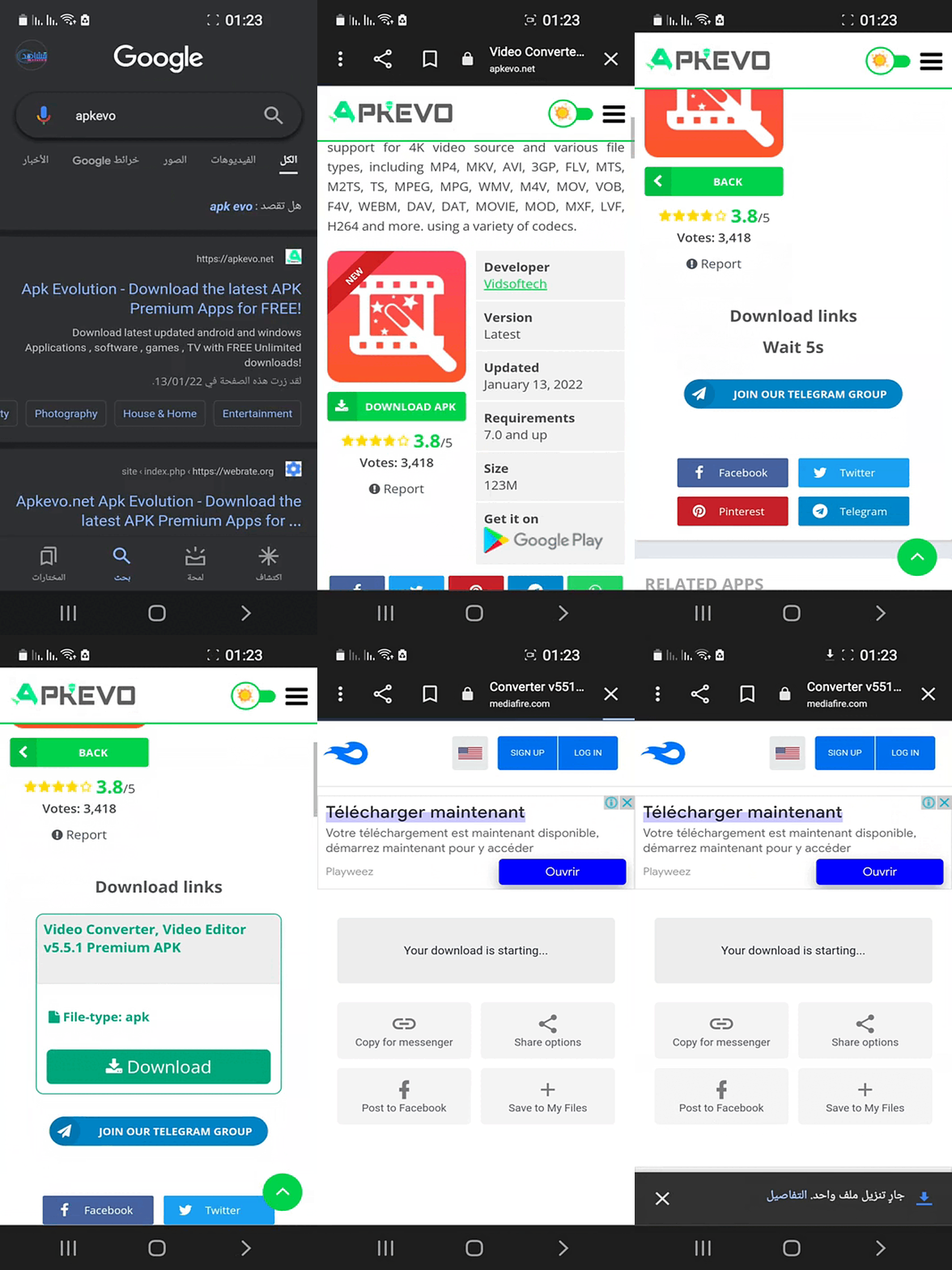
- Search for the App
Use the search bar or browse categories to find the app you want. - Open the App Page
Click on the app to view its details, features, and latest version. - Scroll to the Download Section
Find the Download APK button on the page. - Tap the Download Button
Click Download APK and wait a few seconds for the link to generate. - Start the Download
Your download should begin automatically. If not, tap the button again. - Check Your File
Once completed, the APK file will be available in your device’s Downloads folder.
THE SITE NEEDS SUPPORT. PLEASE TURN OFF THE AD BLOCKER. THANK YOU